

The world of web design moves incredibly fast. For years, the standard workflow for digital agencies, freelance designers, and marketing teams followed a predictable, rigid path: wireframe and design high-fidelity mockups in Figma, hand them over to a web developer, and pray that the final production website looks at least 80% like the original canvas.
If you have been working in this space, you know the pain of the traditional handoff. Layouts break, custom animations get cut because they are “too difficult to code,” and launch dates get pushed back weeks or even months.
Enter Framer (often found at Framer.com).
Initially known years ago as a complex JavaScript-based prototyping tool for advanced product designers, Framer underwent a massive evolution. Today, it has completely transformed into a no-code, visual website builder that lets you design interactive websites on a freeform canvas and publish them instantly with a single click. No hosting setup, no export scripts, and absolutely zero coding required.
But is it worth your time, or is it just another overhyped tool in an already crowded no-code market? In this comprehensive, data-driven Framer review, we will dive deep into its core features, performance metrics, pricing structures, and discover why thousands of design teams are abandoning traditional builders to make the permanent switch.
Table of Contents
What is Framer?
At its core, Framer is a visual design platform that generates production-ready, highly optimized HTML, CSS, and JavaScript under the hood while you design. If you know how to use Figma, you practically already know how to use Framer. It features a nearly identical spatial interface: a canvas, layers panel, properties panel on the right, and components management.
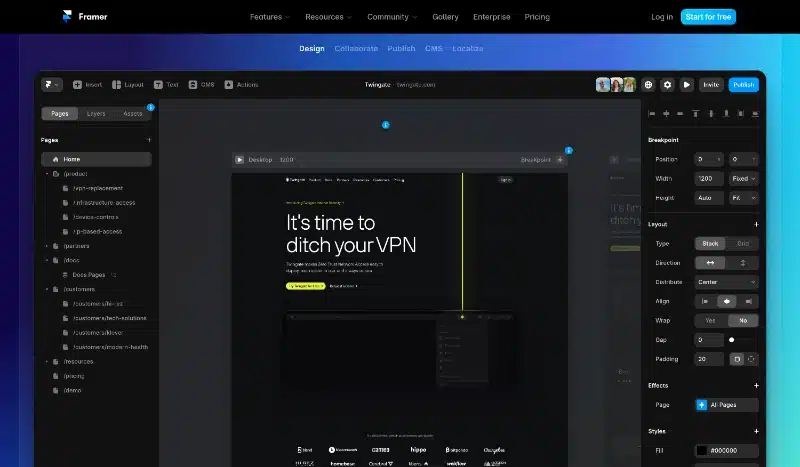
The revolutionary shift here is that Framer eliminates the “code handoff” entirely. Instead of drawing vector rectangles that represent boxes on a screen, Framer utilizes actual web layout rules (like CSS Flexbox and Grid) disguised as intuitive design tools (Stacks and Grids). When you click “Publish,” your design is instantly converted into a lightning-fast, SEO-optimized website hosted on Framer’s global infrastructure.
Why Designers are Choosing Framer over Competitors
To truly understand where Framer shines, it helps to look at how it bridges the massive gap between pure graphic design tools and rigid traditional development frameworks.
| Feature / Metric | Framer | Figma | Webflow | WordPress + Elementor |
| Primary Use Case | Visual Web Design & Instant Publishing | UI/UX Mockups & Prototyping | Visual Development & Database Web Apps | Traditional Content Management & Blogging |
| Learning Curve | Gentle (If you know Figma) | Easy to Moderate | Steep (Requires HTML/CSS knowledge) | Moderate (Plugin dependency) |
| Animation Engine | Advanced (Based on Motion/Framer Motion) | Basic Transitions | Complex (Timeline-based) | Basic to Moderate (Via heavy plugins) |
| Hosting & Speed | Built-in, Global CDN (Ultra-fast out of the box) | N/A (Design only) | Built-in AWS (Fast but premium pricing) | Self-hosted (Depends heavily on provider) |
| Design Freedom | Completely Freeform Canvas | Completely Freeform Canvas | Rigid Box-Model Only | Grid/Section-constrained |
Core Features That Make Framer Stand Out
Framer isn’t just an evolutionary update to web design; it’s a revolutionary rethink of the entire medium. Here are the core features driving its massive adoption rate across global marketing agencies and independent creators alike.
1. The “Figma to Framer” Workflow (Copy & Paste Magic)
If there is a single feature that acts as Framer’s ultimate Trojan horse, it is the official Figma to Framer plugin.
Instead of redesigning your landing pages from scratch, you can simply run the plugin inside Figma, select your design elements, click “Copy,” and paste them directly onto your Framer canvas. Because Framer’s architecture maps seamlessly to Figma’s Auto Layout properties, your structural hierarchies, typography styles, padding, alignment, and spacing remain completely intact. What used to take a front-end developer 20 to 30 hours to code now takes a single designer less than 10 minutes to clean up, optimize, and push live.
2. World-Class Native Animation Engine
Historically, adding sophisticated web animations (like scroll-linked parallax, sticky reveals, morphing headers, or complex multi-state micro-interactions) required a masterful command of JavaScript animation libraries like GreenSock (GSAP) or custom CSS wrappers.
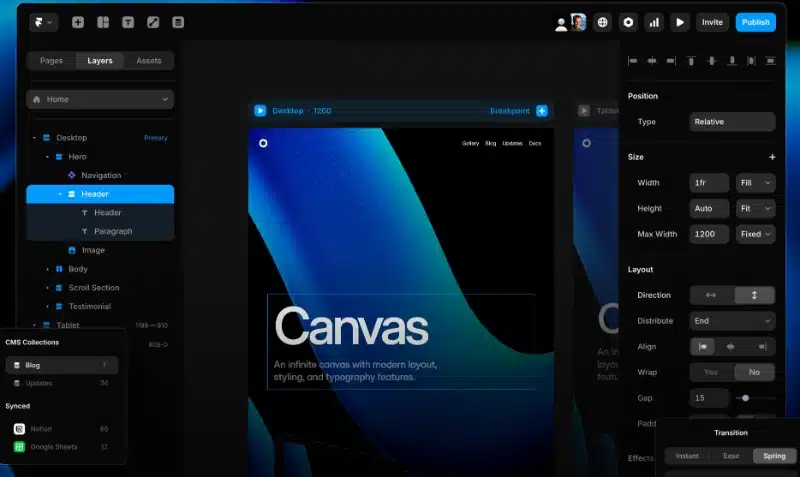
Framer fundamentally changes this. It runs on top of Motion (formerly Framer Motion), one of the industry’s most reliable, high-performance open-source animation engines. Adding an element animation in Framer is as simple as selecting a layer, navigating to the effects panel on the right, and selecting an effect type:
- Appear: Triggers clean entrances as the site loads.
- Hover & Press: Seamless, fluid micro-interactions for buttons, cards, and navigation elements.
- Scroll Animation: Maps elements smoothly to the user’s viewport depth for incredible storytelling scroll effects.
- Scroll Speed (Parallax): Moves layers at varying speeds effortlessly without inducing browser layout lag.
Because these animations are spring-physics-based rather than bound to rigid linear timelines, they look incredibly organic, responsive, and natural to the human eye.
3. Native CMS (Content Management System)
Building a scalable landing page or corporate site requires a robust way to handle dynamic content like blog posts, team profiles, career openings, or portfolio case studies. Framer includes a built-in visual CMS that matches the simplicity of a spreadsheet but packs the power of a professional database.
You can quickly define custom fields (Plain text, Rich text, Images, Slugs, Multi-select Toggles, or Reference fields) to structure your data. Designing a dynamic template page takes seconds: you design the layout once visually, link the text fields directly to your CMS items, and Framer automatically generates unique, indexable URLs for every single entry in your database.
4. Advanced Built-in AI Translation & Localization
In an increasingly global marketplace, launching a website targeting only one language limits your growth. Framer features a natively integrated, state-of-the-art localization engine.
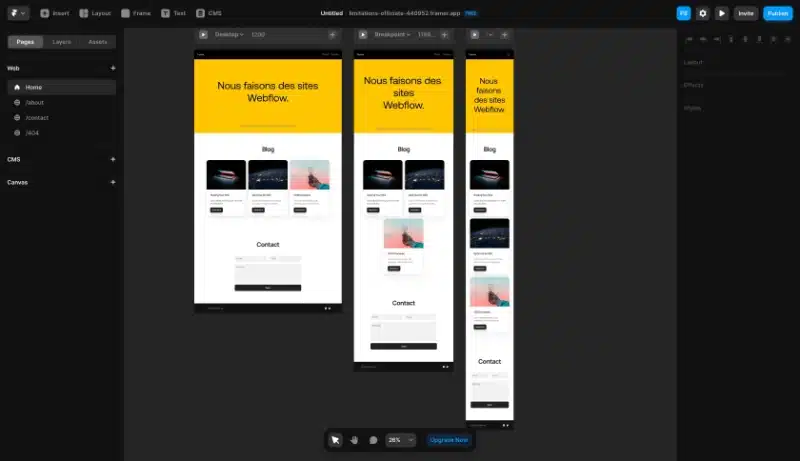
With just a couple of clicks, you can add multiple locales to your website. Framer allows you to completely customize text fields, switch out images to match regional preferences, adapt layouts for differing text lengths, and optimize localized metadata for regional search engines. You can even utilize Framer’s integrated AI assistant to translate your entire site’s copy into dozens of languages instantly, ensuring localized font sizes match your original visual layout seamlessly.
Deep Dive: Framer vs. Webflow (The Honest Truth)
The most common question visual designers face when evaluating modern web platforms is: Should I choose Framer or Webflow?
While both platforms are world-class no-code software systems, they serve fundamentally different mindsets and design philosophies.
The Webflow Approach
Webflow acts primarily as a visual GUI (Graphical User Interface) draped directly over raw web code. To use Webflow effectively without breaking layouts or building bloated sites, you must intimately understand the fundamentals of semantic HTML and the CSS Box Model (div blocks, relative vs. absolute positioning, margins, paddings, and inheritance structures). It forces the designer to think strictly like a browser developer from the very first click.
The Framer Approach
Framer, conversely, prioritizes the raw creative freedom of the designer’s canvas. It encourages open experimentation, free positioning, and intuitive visual grouping. It uses Stacks (which run on CSS Flexbox) to let you arrange elements fluidly. If you resize a block or drag an element, Framer dynamically calculates the cleanest, cleanest underlying code required to display that layout on a live screen.
The Verdict: If you are building highly complex, enterprise-grade web applications that require deep integrations with external APIs, user authentication, and heavy back-end processing databases, Webflow remains an industry titan. However, if your primary goal is to launch stunning, animation-rich, conversion-focused marketing sites, SaaS landing pages, portfolios, or agency sites in half the time, Framer is the undisputed champion.
Is Framer Good For SEO (Search Engine Optimization)?
A visually stunning website is completely useless if nobody can discover it via search engines. A major criticism historically aimed at traditional visual builders (like Wix or older WordPress builders) is that they output extremely bloated, messy, nested code that slows down browsers and severely hurts Google search rankings.
Framer was engineered from day one with modern technical SEO at its core. Websites published through Framer achieve incredible performance metrics owing to several built-in architecture optimizations:
- Server-Side Rendering (SSR): Framer compiles your visual layouts into highly optimized, static HTML files on the server side. When a search engine crawler or a visitor arrives at your URL, the browser loads fully rendered HTML instantly rather than waiting for heavy client-side JavaScript to unpack.
- Incredible Page Speeds: Because Framer hosts your site across a globally distributed, high-performance Anycast CDN (Content Delivery Network), global TTFB (Time to First Byte) is minimized. Framer sites routinely score 95+ on Google Lighthouse and Core Web Vitals assessments.
- Automatic Image Optimization: You no longer need to manually resize images or compress them through external utilities. When you drop a high-res image into Framer, it automatically encodes, scales, and delivers the file in modern web formats like WebP or AVIF based on the exact dimensions of the visitor’s screen.
- Granular Metadata Control: Every page and CMS item inside Framer gives you direct access to edit Title tags, Meta descriptions, Open Graph (social preview) images, custom robots.txt parameters, canonical tags, and automatic XML sitemap generation.
The Step-by-Step Guide to Getting Started on Framer
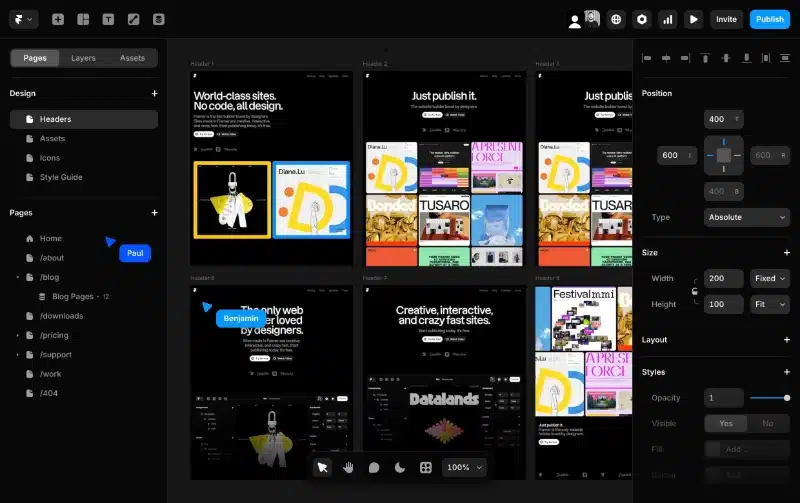
Transitioning to a new web design tool can feel overwhelming, but Framer’s intuitive layout makes getting your first project off the ground simple. Here is the ideal structural roadmap for beginners:
The Launch Blueprint
1. Create Your Free Account: Takes 1 Minute.
Head over to Framer.com and sign up for a free starter account. You can choose to launch a blank canvas or choose from hundreds of premium or free community-made templates to study how layouts are structured.
2. Master Stacks and Grids: The Foundation.
Avoid using absolute positioning for long-term layouts. Group your design layers together and press Shift + A to turn them into a Stack. Stacks handle your responsive padding, gap spacing, and alignment automatically, ensuring your elements scale beautifully across desktop, tablet, and mobile screens.
3. Import Your Assets: Figma Integration.
Install the “Figma to Framer” plugin in your Figma app. Select your high-fidelity frames, run the copy command, and paste them directly into your Framer layout. Adjust your layer sizes from fixed dimensions to Fill or Fit to make them responsive.
4. Inject Delight with Fluid Effects: Micro-interactions.
Select your interactive call-to-action buttons, navigate to the Effects panel on the right side, and add subtle Hover or Press scaling states. Pick 2-3 key hero elements to add clean scroll-triggered entrance transitions to make your page feel premium.
5. Publish to the Live Web: Instant Deployment.
Click the blue Publish button in the top right corner. Framer will instantly deploy your site to a free, custom framer.website subdomain. When you’re ready to go professional, you can link your custom business domain name in the project settings panel in under a minute.
Pros and Cons: A Balanced Evaluation
No tool is absolutely perfect for every single scenario. To maximize your success with Framer, it is critical to understand exactly where it excels and where its limitations lie.
The Pros
- Unmatched Speed: Go from an open design canvas to a fully functional, live production website in a fraction of the time compared to hand-coding.
- Figma-Native Mindset: Requires almost no friction or mental retraining for UI/UX designers who already live inside the Figma ecosystem.
- Production-Grade Performance: Pristine code generation translates to fast load times, excellent Core Web Vitals scores, and robust technical SEO structures.
- Zero Maintenance Overhead: Say goodbye to broken hosting servers, outdated databases, security patches, or conflicting platform plugins.
The Cons
- No Direct Code Export: Framer does not allow you to export raw HTML/CSS source code files to host on your own independent servers. Your project must remain hosted on Framer’s infrastructure.
- Limited Complex E-commerce: While Framer integrates beautifully with checkout tools like Shopify, Lemonsqueezy, and Loop, it lacks an enterprise, natively built relational multi-cart shopping system out of the box.
Final Verdict: Is Framer Worth It?
If you are a modern web designer, freelance creative, or growth marketer looking to launch stunning, fast, and interaction-heavy websites without being bottlenecked by traditional engineering cycles, the answer is a resounding YES.
Framer effectively bridges the gap between pure creative design and functional web engineering. It respects your visual imagination, eliminates the frustration of code handoffs, and gives you complete control over your creative work from the first frame to the final publish click.
Don’t let rigid development pipelines hold your creative visions back or delay your product launches any longer.
Ready to experience the future of web design? Click here to start building on Framer for free today.